Concepts Ideas Some effort360 min
Animated music video ideas for a small budget
Animated music video ideas for a small budget: paper, chalk, clay and collage, with frame counts and a 6-hour plan for a 30-second chorus.
 Frame the Song Editors 4 min read
What do I need before I start?
You need a phone, a steady stand, two lamps and a 30-second slice of the song. The whole job takes about 6 hours, so clear an afternoon.
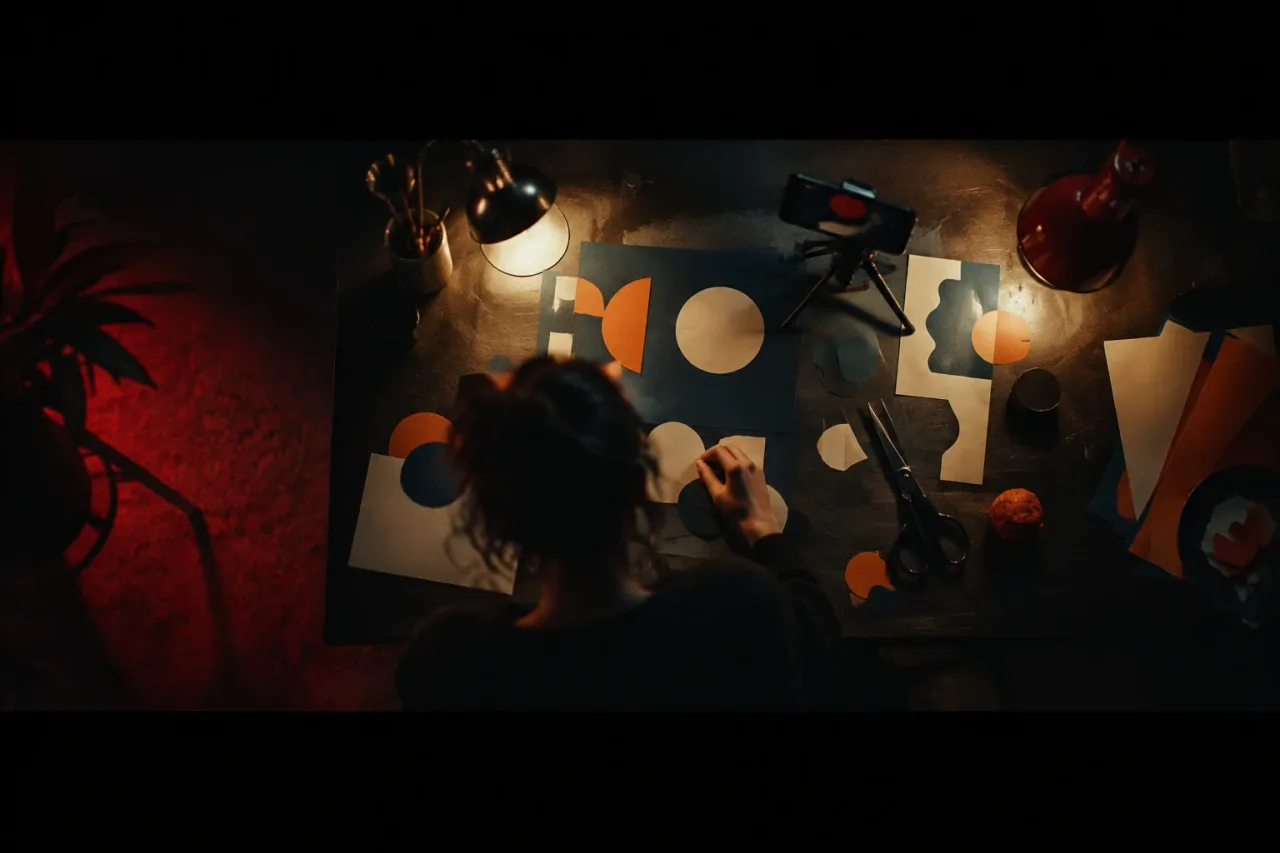
- A phone on a tripod or clamped to a desk, pointing straight down at the table
- A stop motion app that exports at 12 frames per second
- Two LED lamps with 5600K daylight bulbs, one each side at 45 degrees
- A table with a sheet of A2 paper taped down, and coloured card for the shapes
- Scissors, tape and tweezers to nudge small pieces
- The song on a second device, so the phone stays quiet
Close the curtains. A window changes the light as clouds move, and you will see it as flicker.
How many frames is a 30-second video?
It is 360 frames, because 12 frames a second times 30 seconds is 360. At about 40 seconds a frame to nudge, check and shoot, that is 4 hours at the table. A full three-minute song is 2,160 frames, close to 24 hours at the same pace. So animate one chorus and hold the verses on a single still composition of the same table. The audience learns that when the paper starts to move, the song has lifted. Add 1 hour of planning and 1 hour of editing and the whole job comes to 6 hours.
Which animation technique suits my budget?
Paper cut-outs are the cheapest, and all five of these work on a phone. These are planning guesses in minutes of work for each second of finished video at 12 frames per second:
- Paper cut-outs: about 8 minutes. Card, scissors, one fixed camera.
- Collage: about 8 minutes. Use magazines or photos you own or have permission to use.
- Chalk on a wall: about 12 minutes. Draw, shoot, smudge, redraw. Use a board, or a wall you own or have permission to mark.
- Rotoscoping: about 12 minutes. Film yourself at 24 frames per second, then trace every second frame. Only trace footage you shot.
- Claymation: about 18 minutes. Modelling clay, a small set, 12 poses a second.
Time your first 20 frames and adjust the numbers to your own pace.
What are the steps, in order?
Do six things in this order, and the shoot takes 4 of the 6 hours.
- Choose the 30 seconds, usually the chorus, and count the bars. At 120 bpm, 4 bars last 8 seconds. (10 minutes)
- Sketch six thumbnails, one per 5 seconds, and play them against the song as a rough animatic. (20 minutes)
- Cut about 20 shapes from card in three colours. (30 minutes)
- Tape down the paper, fix the phone, switch on both lamps and lock exposure and white balance. Shoot a test of 10 frames. (10 minutes)
- Shoot 360 frames, moving each shape 1 to 3 millimetres, with bigger jumps on the beat. Stop every 45 frames. (about 4 hours)
- Import the frames into DaVinci Resolve, set a 24 fps timeline, hold each frame for 2 frames, lay the song underneath and end on the last beat of the bar. (1 hour)
How do I make it look directed?
Lock one framing, pick three colours and set one rule for when things move. Shoot top-down and locked off in 16:9, or 9:16 if you want it tall. Use an ink blue background with orange and off-white shapes, and 5600K lamps so the whites stay white. For the rule, tie movement to the beat. At 120 bpm a beat lasts half a second, which is 6 frames at 12 frames a second. Let a shape jump 10 millimetres on each kick and drift 1 millimetre a frame between kicks. Shapes that move on the beat read as choreographed. In the edit, hold the last frame for 2 seconds on the final chord.
What if it goes wrong or I run out of energy?
Fix flicker first, then shorten the job if you are tired. Flicker comes from auto settings, so switch off auto exposure, white balance and focus. A hand shadow in the frame means you need both lamps on and your hand fully out before each shot. Drift means the tripod moved, so tape its legs and mark the paper corners.
For tiredness, stop after every 45 frames, about 30 minutes, and photograph the table so you can match positions later. If the hours still do not fit, shoot on threes. That is 8 frames a second, 240 frames for 30 seconds, about 2 hours 40 minutes at the same pace. Or animate 15 seconds, which is 180 frames.
How do I make the next one easier?
Keep the rig and the shapes, and your next video starts at step 2. Leave tape marks on the table where the tripod legs and paper corners sit. Store shapes in envelopes labelled by song section, and keep the thumbnails so a returning character looks the same across songs.
If the song needs a singer, Muzie offers claymation and anime looks for a performer built from a photo, so you can try a lip-synced character without modelling 12 poses a second. Read more on the Muzie page. It covers a singer performing the song and does not make cut-out or chalk animation.
Frequently asked questions
Can I make an animated music video on my phone?
Yes. A phone on a tripod, a stop motion app and two lamps are enough for paper cut-outs or collage. Shoot a 30-second chorus at 12 frames per second, which is 360 frames.
What frame rate should stop motion be?
12 frames per second is a good starting point, because each drawing or pose is held for 2 frames on a 24 fps timeline. Use 8 frames per second if you are short on time, and expect a choppier look.
How long does it take to animate a whole song?
A three-minute song at 12 frames per second is 2,160 frames. At about 40 seconds a frame, that is close to 24 hours. Most people animate the chorus and hold the verses on a still.
Do I need to draw well to make an animated video?
No. Cut-out shapes, collage and clay need cutting and moving, not drawing. Chalk and rotoscoping ask for more drawing, but simple outlines read well at 12 frames a second.
Can AI make a claymation music video?
Some tools can. Muzie offers claymation and anime looks for a singer performing the song from a photo, and you see the price before you generate. It does not replace hand animation of paper or chalk.